

Not long ago, a camera in a video surveillance system was something like a very patient guard. It stared at one spot, recorded whatever it saw, and stayed silent until, after an incident, someone asked the good old question: “Did the archive survive at all?” That was usually the full extent of its career. But a modern intelligent video surveillance system works very differently. It does not merely see. It recognizes, analyzes, compares, makes decisions, triggers actions, and passes events to other systems.
That is exactly why the integration module is no longer an optional feature, but the central mechanism of the entire platform. If detection answers the question “what happened,” integration answers the question “what should happen next.” And that is where things become interesting. The camera stops being just a source of video and becomes an event sensor for access control, security, logistics, retail, industrial safety, home automation, and service systems. Put simply, this is no longer just video surveillance. It is a decision-making layer built on top of video.
In practical architecture, such a system is best viewed as a chain of four links: detection, condition checking, reaction rule, and external action. For example: the system recognizes a face, checks the employee’s schedule, confirms that access is allowed, opens the door, disarms the vestibule, and logs the event in the attendance journal. In the past, that scenario would have required separate devices, a separate controller, and a great deal of manual logic. Now it can be assembled within a single software environment.
The Basic Scenario Model
Almost any automation scenario in an intelligent video surveillance system can be represented as a simple formula:
event -> condition check -> decision -> action -> logging
For example:
employee face recognized -> working hours confirmed -> access granted -> open door -> log entry
Or:
fire detected -> zone and object type confirmed -> emergency mode -> cut power line, enable warning system, send alarm -> save video fragment and log record
This model works well because it applies equally to an apartment, a warehouse, an industrial site, or a campus. Only the detectors, conditions, and list of actions change.
Scenario Classification by Detection Type
The most convenient way to describe the capabilities of an integration module is to divide scenarios by detection type. That way, the system looks less like a chaotic collection of features and more like a library of ready-made responses.
1. Face Recognition
Face recognition is one of the most obvious and most useful types of analytics. It directly links video to access control, attendance tracking, and personalized scenarios.

If an employee is recognized, the system can open a door or turnstile, disarm an authorized area, mark the employee as present, record the passage in the attendance log, display the name on the operator’s screen, and even launch a personal scenario such as turning on lights, air conditioning, or a workstation. Here, the camera effectively becomes part of the access control and building automation system.
If a VIP customer is recognized, the logic changes. The system no longer simply grants access, but launches a service scenario: it notifies the manager, displays the customer card, activates a welcome screen, records the visit in the CRM, and opens access to the VIP area.
If a person from a blacklist is recognized, automation switches to protective mode. Access is denied, an alarm window is displayed, push, Telegram, or email notifications are sent, incident recording is elevated in priority, the best frames are saved separately, nearby doors may be locked, and a PTZ camera may switch to tracking mode.
If the person is unknown, the system may avoid making the final decision on its own and pass confirmation rights to the operator. In such scenarios, it makes sense to enable two-way audio, send the photo to security staff, and save the event under a separate “Unknown” category. This is especially useful for entrance groups, gates, and intercom scenarios.
2. License Plate Recognition
An LPR or ANPR module turns a camera into an automatic dispatcher for entry and exit. In practice, such scenarios are especially relevant in logistics, parking facilities, industrial sites, and residential complexes.
If the plate is found on a whitelist, the system can open a gate or barrier, turn on a green signal, record entry or exit, calculate dwell time on the premises, and activate parking spot lighting.
If the plate is on a blacklist, the system does not allow passage, raises an alarm, starts recording from multiple cameras, displays the vehicle on the facility map, and saves overview frames. That is no longer just video recording, but a full security response.
If the plate is hidden or not recognized, the logic may be softer: request manual verification, turn on additional lighting, switch the camera into burst-frame mode, send a snapshot to the operator, and allow entry only after confirmation through an intercom or button.
A duplicate plate deserves special mention. It is a good example of second-level smart logic. The system may not only compare the plate to a list, but also check whether a vehicle with the same plate is already inside the site, compare the vehicle color and type, and block repeated entry until verification. That is where real engineering begins, not just “the camera saw some digits.”
3. Detection of Fire, Smoke, Sparks, and Overheating
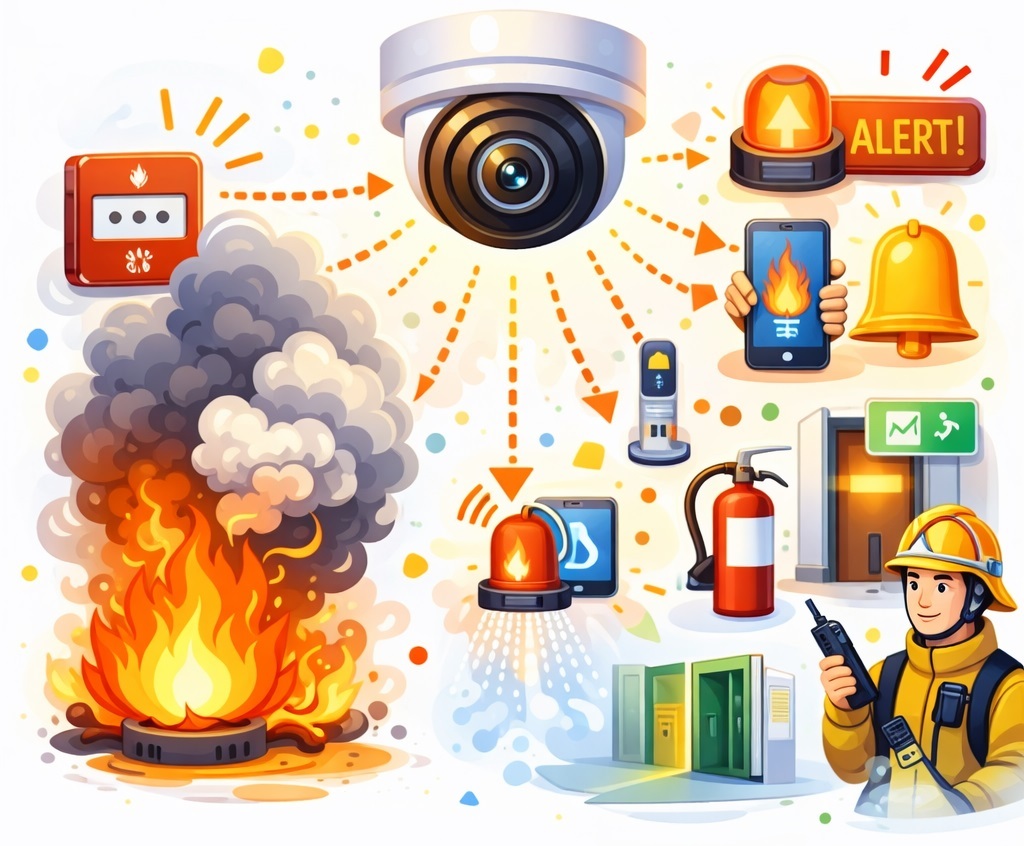
Fire-related scenarios are the most critical in terms of responsibility, which is why they should be built not as single reactions, but as chains of coordinated actions.
When fire is detected, the system can cut power to sockets or a power line via relay, activate a siren and voice warning, send an alarm to responsible personnel, unlock emergency exits, switch on emergency lighting, start fire suppression, place ventilation into fire mode, and display evacuation plans on monitors. If regulations and technical conditions allow, data can also be sent to an external monitoring station.
For smoke, an early warning scenario is usually triggered: recording priority is increased, a photo and short video clip are sent, exhaust ventilation is turned on or general ventilation is shut down according to predefined logic, and the event is distributed to all operators.
If the issue is equipment overheating, the system starts working as part of engineering monitoring. It can cut power to a rack, enable backup cooling, open ventilation louvers, notify an engineer, and create a ticket in the service desk. In other words, the camera helps not only catch intruders, but also save a server room from very expensive smoke.
4. Motion Detection
Traditional motion detection remains relevant if it is properly integrated into logic and does not live alone. In older systems, motion often turned into a factory of false alarms. In modern systems, it works together with schedules, zones, object types, and multi-factor confirmation.
Motion in a protected zone at night may trigger event recording, instant notification, a floodlight, PTZ camera movement to a preset, a siren, a voice message, and activation of neighboring cameras.
Motion in a restricted area is suitable for a tougher response: alarm, blocking of electronic locks around the zone, high-frame-rate recording, and display of the site map with the triggered location.
Motion near a cash register, safe, or warehouse can be logged as a separate event category, with video saved both before and after the event from the buffer. This is particularly useful for investigations where the few seconds before the alarm matter most.
5. Human Detection
Detecting a person may seem simple, but within an integration module it often becomes the basis for dozens of scenarios.
A person in a hazardous production area, near a conveyor, press, or machine is grounds not only to notify the operator, but also to stop equipment via relay, send a warning to the shift supervisor, and log a workplace safety incident.
A person blocking evacuation routes may trigger a different kind of alarm, not a security alert but an organizational one. In that case, the system displays a warning at the security post and launches a voice message.
A person near the perimeter or fence may activate a floodlight, PTZ tracking, notification to a mobile response team, and recording on neighboring cameras.
A separate class of tasks is connected with analysis of human behavior in the frame: crowding, falling, long periods of immobility. In retail, that means queues and flow density. In healthcare and social facilities, it means risk of falls or fainting. In security, it means suspicious loitering near a door, safe, or ATM.
6. Animal Detection
One of the clearest signs of a mature system is its ability not to create drama when the thing in front of the camera is just a dog. Not every movement at night deserves a siren, a panic-filled group chat, and a terrified operator.
If an animal is detected on protected premises, the system can label the event as “animal,” avoid raising a high-level alarm, and filter out false human detections.
On farms, in warehouses, and along perimeters, the appearance of wild animals may trigger different scenarios: switching on lights, activating deterrents, notifying security staff, or automatically closing gates.
In production environments, an animal in a hazardous zone may become grounds for stopping a mechanism. Here, analytics serves both a security and a humane function at the same time.
7. Vehicle and Object Detection
In addition to plate recognition, the system can determine the type of vehicle and various objects in the frame.
A car in a restricted zone may trigger a violation recording, notification to security staff, and data transfer into the parking control system with display of the plate number, make, and color.
A truck at a loading dock, on the other hand, may be a positive event. In that case, the system notifies the warehouse, opens the gate, turns on dock lighting, and starts a logistics unloading timer.
A vehicle standing in one place for too long may be marked as a violation with an incident card automatically created.
A motorcycle or bicycle in a pedestrian zone becomes an issue of discipline and safety. Appropriate responses include a voice warning, a security notification, and saving a video fragment for later review.
An abandoned object and a missing object form another important class of scenarios. In the first case, the system raises an alarm, restricts access to the area, activates neighboring cameras, and starts an escalation timer. In the second case, it assists investigations by finding the last moment when the object was present and exporting the necessary video fragment.
8. Sound Detection
Sound event analysis makes video surveillance much smarter, because not every incident is visible first, but many are audible first.
The sound of breaking glass may immediately raise an alarm, activate a floodlight, direct a PTZ camera to the relevant zone, and start recording on nearby cameras.
A scream or the noise of a fight is a scenario for immediate operator response, two-way audio, calling security, and saving a high-priority fragment.
A gunshot must have the highest alarm priority, notification of all responsible parties, access lockdown according to a predefined scenario, and recording from all cameras in the sector.
Equipment sounds, sirens, or emergency signals are useful for service logic: notify a technician, create a ticket, and trigger diagnostics for associated equipment.
In domestic and social scenarios, sound also matters. A baby crying may bring the relevant camera to the operator’s screen and activate the audio channel, while a dog barking may simply be marked as an event or, if repeated frequently, become grounds for notifying the owner.
9. Safety Violations
For factories, construction sites, warehouses, and industrial facilities, this class of scenarios is often more valuable than classical security. Fines, injuries, and downtime have a bad habit of arriving uninvited.
A person without a helmet, vest, mask, or other PPE can receive a voice warning, be denied access to a hazardous area, trigger a notification to the shift supervisor, and have the violation logged with photo evidence.
Smoking in a prohibited area and phone use in a dangerous area can also be turned into automated events with notification of the responsible person and preservation of the evidence base.
This approach is especially effective because it allows the system not only to catch violations, but also to collect statistics by zone, shift, and incident type.
10. Behavior Detection
Behavioral scenarios are more complex than classical detections, but they are exactly what gives a system signs of real intelligence.
Running in a prohibited area may be an early warning signal of risk. Fighting, vandalism, attempts to climb over a fence, prolonged presence near a door, safe, or ATM are events requiring a more sophisticated response than ordinary archive recording.
The system can trigger an alarm, display the nearest cameras to the operator, save snapshots, launch a floodlight, PTZ presets, enhanced monitoring, and send messages to a mobile response team.
These scenarios are especially valuable where an operator physically cannot watch dozens of cameras continuously. Video analytics here acts as a second pair of eyes that, unlike a human, does not get tired and does not wander off for tea at the worst possible moment.
Industry-Specific Use Cases

For the integration module to be truly useful, it is important to think not only in terms of detections, but also in terms of complete industry applications.
In retail, that means queues, empty shelves, visitor counting, interest in VIP goods, consultant notifications, and CRM linkage.
In warehouses and manufacturing, it means unloading, equipment control, falling pallets, restricted areas, storage overflow, and WMS integration.
In homes and offices, it means a familiar face at the door, a stranger at the gate, a courier, a child returning home, and monitoring the activity of an elderly person.
In medical and social institutions, it means a patient leaving a room, a fall, entry into a restricted area, two-way communication, and urgent staff notifications.
In schools, kindergartens, and campuses, it means access control, notifications about a parent’s arrival, events at the entrance, fights, and running in corridors.
Universal Actions the Integration Module Must Support
For all of these scenarios to be more than handsome fantasy on paper, the integration module must support several major classes of actions.
The first class is device control. The system must be able to open doors, gates, intercoms, barriers, turn on sirens, voice messages, lights, floodlights, and beacons, cut power to lines, set relays to required states, control ventilation and HVAC, unlock emergency exits, move PTZ cameras to presets, and enable auto-tracking.
The second class is communications and external integrations. This includes push notifications, Telegram, email, SMS, webhooks, HTTP API, MQTT, Modbus, database writes, help desk ticket creation, event transfer into CRM, ERP, WMS, ACS, the cloud, or a central monitoring station.
The third class is logging and evidentiary support. It is important not only to react, but also to preserve context: best frames, pre- and post-event clips, alarm level, who confirmed the action, which scenario was triggered, and which devices were involved.
The Logic That Makes a Scenario Intelligent
The real value of integration lies not in the fact that it can react, but in the fact that it can react selectively. The primitive rule “if detected, then alarm” is suitable only for exhibition demos. Real deployments need a layer of conditions.
A scenario should be able to trigger only at night, only outside working hours, only in a specified zone, only if the object remained in the frame for more than N seconds, only if detection is confirmed by two frames or two cameras, only if a person, motion, and sound are present simultaneously. It should know when not to react to employees, when not to react in bad weather, how to increase alarm level upon repetition, how to run different actions for the first, second, and third trigger, and how to account for shifts, holidays, schedules, direction of movement, object speed, and size.
That logic is what turns a system from a collection of triggers into an automation platform.
API Integration: How It Should Work Technically
From an engineering point of view, the integration module should be built around a universal event bus. Each detector generates a normalized event. Then a rule engine or scenario engine checks the conditions and launches one or more actions.
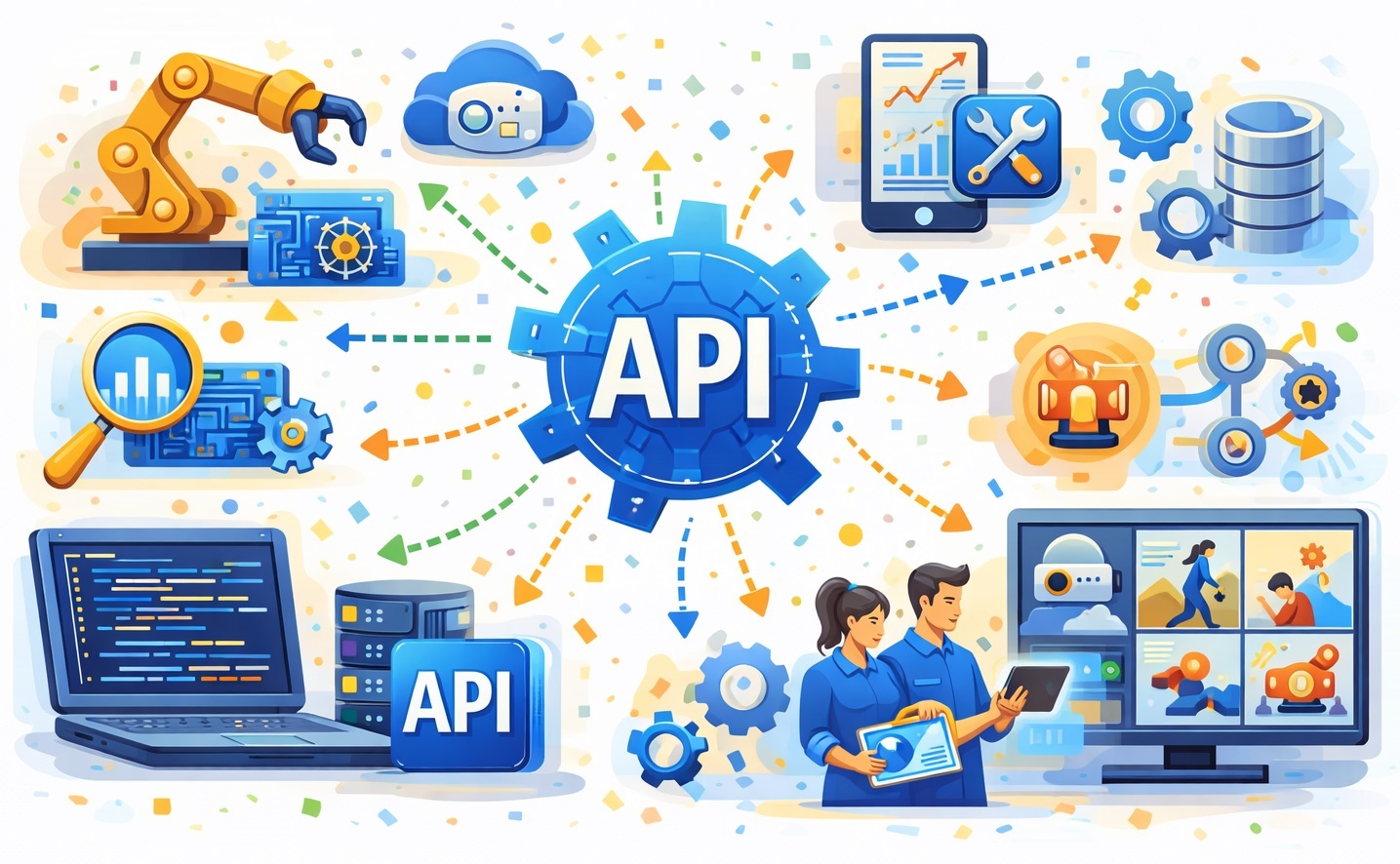
A convenient API model for such a platform consists of several levels.
The first level is input events. The system must be able to receive data from cameras, sensors, controllers, external services, and other applications. Suitable options here include HTTP API, webhooks, MQTT, Modbus, ONVIF events, and integration through message brokers.
The second level is the internal event format. Good practice is to describe every event in a uniform way: detection type, camera, time, zone, confidence, associated object, snapshot, short clip, priority, metadata, and a list of suggested actions.
An example event structure might look like this:
{
"eventType": "face.recognized",
"cameraId": "cam_entrance_01",
"timestamp": "2026-03-21T09:42:15Z",
"zone": "main_entrance",
"confidence": 0.97,
"person": {
"id": "emp_1542",
"name": "Ivan Petrov",
"group": "employees"
},
"snapshotUrl": "/api/events/98421/snapshot",
"clipUrl": "/api/events/98421/clip",
"priority": "normal",
"metadata": {
"direction": "in",
"scheduleMatched": true
}
}
"eventType": "face.recognized",
"cameraId": "cam_entrance_01",
"timestamp": "2026-03-21T09:42:15Z",
"zone": "main_entrance",
"confidence": 0.97,
"person": {
"id": "emp_1542",
"name": "Ivan Petrov",
"group": "employees"
},
"snapshotUrl": "/api/events/98421/snapshot",
"clipUrl": "/api/events/98421/clip",
"priority": "normal",
"metadata": {
"direction": "in",
"scheduleMatched": true
}
}
The third level is the action engine. It must be able to call external APIs, send webhooks, switch relays, write to databases, create tickets, send commands to ACS or CRM, open devices via HTTP and MQTT, and launch local macros.
A webhook example for opening a door might look like this:
POST /access/open HTTP/1.1
Host: access-controller.local
Authorization: Bearer YOUR_TOKEN
Content-Type: application/json
{
"doorId": "door_entrance_a",
"reason": "recognized_employee",
"sourceEventId": "98421",
"durationMs": 3000
}
Host: access-controller.local
Authorization: Bearer YOUR_TOKEN
Content-Type: application/json
{
"doorId": "door_entrance_a",
"reason": "recognized_employee",
"sourceEventId": "98421",
"durationMs": 3000
}
Example response:
{
"status": "ok",
"message": "Door opened",
"doorId": "door_entrance_a"
}
An example of sending an event to an external security system:
POST /api/security/incidents HTTP/1.1
Host: security.local
Authorization: Bearer YOUR_TOKEN
Content-Type: application/json
{
"incidentType": "blacklist_match",
"cameraId": "cam_lobby_02",
"priority": "critical",
"snapshotUrl": "https://vms.local/api/events/98520/snapshot",
"personName": "Unknown / blacklist",
"actionsRecommended": [
"lock_nearest_doors",
"notify_guard",
"start_ptz_tracking"
]
}
Host: security.local
Authorization: Bearer YOUR_TOKEN
Content-Type: application/json
{
"incidentType": "blacklist_match",
"cameraId": "cam_lobby_02",
"priority": "critical",
"snapshotUrl": "https://vms.local/api/events/98520/snapshot",
"personName": "Unknown / blacklist",
"actionsRecommended": [
"lock_nearest_doors",
"notify_guard",
"start_ptz_tracking"
]
}
The fourth level is feedback and audit. Every action must return an execution status. If a door does not open, a relay does not respond, or an external service returns an error, the system should retry, log the result, and notify the operator if necessary.
Practical Scenario Templates
Below are several typical scenarios that clearly show how detection connects with business logic.
Employee face at the entrance
recognize face -> check schedule -> open door -> disable vestibule security -> log entry
Supplier vehicle plate
recognize plate -> compare with whitelist -> open gate -> notify warehouse -> start unloading timer
Fire in the kitchen
detect fire -> switch off sockets -> activate siren -> send alarm -> save video -> turn on emergency light
Unknown person at the gate at night
detect person -> check face -> face unknown -> switch on floodlight -> send photo to owner -> open audio channel -> record incident
Fight in the parking lot
detect people + aggressive behavior + shouting -> alarm -> display neighboring cameras -> notify security -> save video fragment
Person without a helmet
detect person -> determine missing helmet -> launch voice warning -> notify shift supervisor -> log violation
These chains are useful because they read like instructions and can at the same time be transferred directly into a rule engine.
What the Scenario Configuration Interface Should Be Like
Even the most powerful integration module quickly turns into a museum of unfinished ideas if it is inconvenient for the operator or engineer to build rules.
In practice, what is needed is a scenario builder with logic in the form of “if -> and/or -> then,” with support for schedules, zones, object groups, priorities, operator confirmations, and repeated triggers. It is particularly useful when a scenario can be assembled from blocks: detection, filter, condition, action, timer, escalation, logging.
Industry-specific templates are also valuable: employee access, supplier vehicle, fire alarm, perimeter at night, PPE violation, store queue, patient fall. That speeds up deployment and reduces configuration errors.
Optimizing the Event View Interface
A separate issue is the event viewing interface. Once analytics and scenarios become numerous, an event stops being rare and becomes a stream. That means the old approach of “let’s load everything into one form and somehow sort it out later” starts consuming memory, slowing down the interface, and delighting users with leaks.
The event viewer needs pagination. It needs lazy loading so that only current elements and a small buffer reside in memory, not the entire historical list. It is desirable to use list virtualization, separate loading of previews, and deferred opening of heavy objects such as clips or frame series.
There should also be a dedicated button in general settings for deleting old files and records for a selected period and camera. It makes sense to place it next to disk allocation settings, where retention time is already defined, for example 90 days. The workflow could be as follows: the user presses the button, receives a list of cameras and the number of records for each, selects the desired camera, sets the deletion period, and starts cleanup. The system then removes both media files and associated database records, with mandatory confirmation and operation logging.
It may look like a small feature, but in real-world operation it saves disks, nerves, and administrator time. Video surveillance loves disk space in the same way an old garage loves an empty shelf: if there is room today, there will not be tomorrow.
Conclusion
An intelligent video surveillance system with an integration module is no longer just a VMS and no longer just video analytics. It is an event-driven automation platform in which the camera becomes a source of machine-readable facts about what is happening, while the API and scenario engine turn those facts into real actions.
A face can open a door. A vehicle plate can trigger a logistics process. Fire detection can activate emergency mode. Queue detection can open an additional checkout lane. A person falling can instantly summon staff. And all of it works not as a set of disconnected functions, but as a single logic layer, provided the system has the right integration architecture.
The future of video surveillance is no longer about merely storing video. The future is about understanding the event, making a decision, and acting immediately. A camera that only records now looks a bit like a phone that can only make calls. Formally, yes, it still works. But the world moved on a long time ago.